Features Design Tech Developer FAQ
Source Download v0.5.0 Beta
Introducing Arcile 0.5.0 Beta

Manage Your Files
Beautifully.

A fast, clean, and private Android file manager. Experience a fluid Material You interface backed by an uncompromising offline-only architecture.

Zero Internet Permission No Ads Source-Available 120fps Smooth
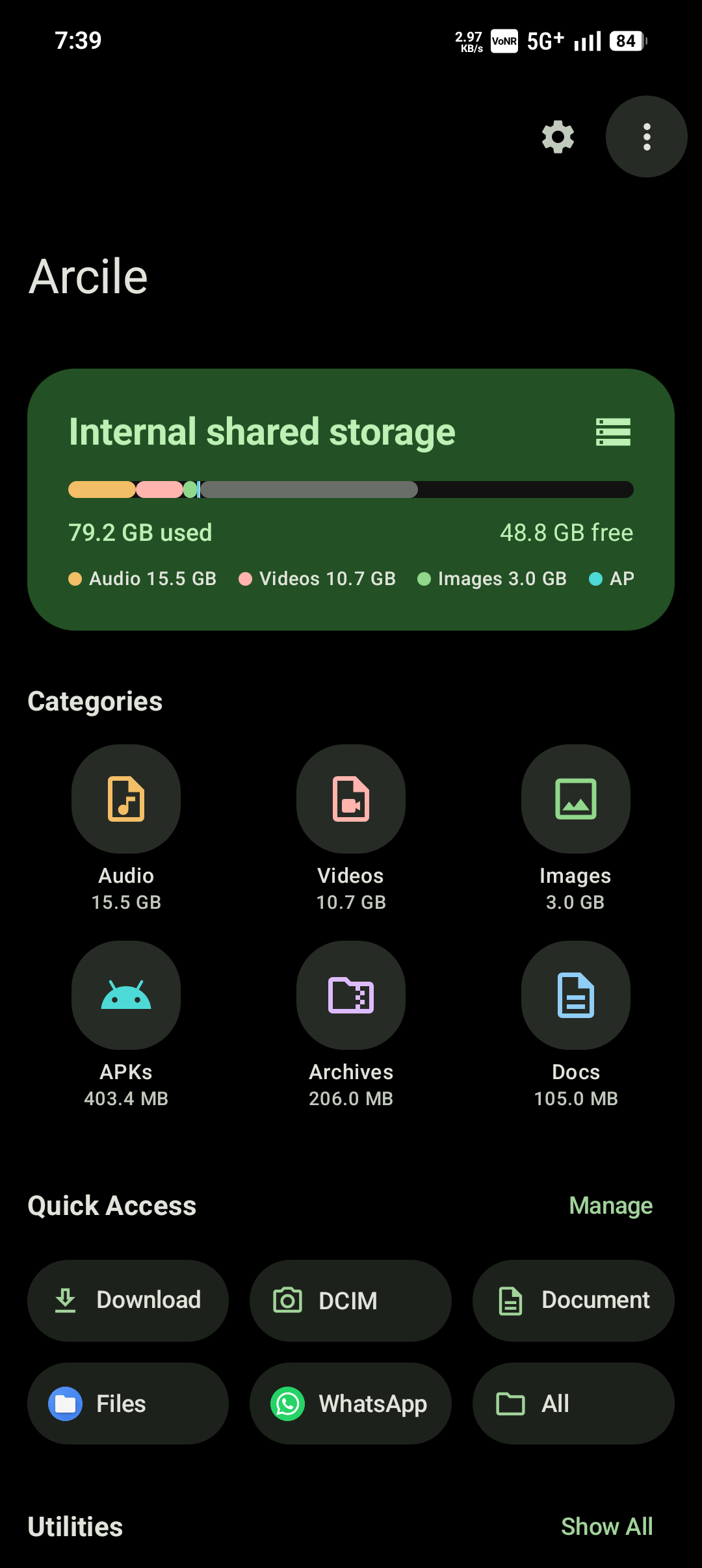
Arcile App Screenshot

Offline & Ad-Free

No internet permission requested. Zero ads, trackers, or telemetry.

100% Kotlin

Built natively from the ground up for modern Android.

Android 7.0+

Backwards compatible, optimized for Android 14+.

Powerful capability.
Beautiful simplicity.

Arcile combines deep system-level storage intelligence with a playful, expressive Material Design 3 interface.

No Internet Permission
Offline By Design

Absolute Privacy. Guaranteed.

Peace of mind shouldn't be a premium feature. Arcile operates completely offline and explicitly does not request the Android network permission. This provides a hard technical guarantee: zero ads, zero tracking, zero telemetry, and absolutely no possibility of your personal files ever leaving your device.

SD Card
USB OTG

Manage All Your Storage

Seamlessly access your Internal Storage, physical SD Cards, and external USB drives all from a single unified interface.

Conflict Resolution

Intelligent handling of file conflicts. Seamlessly skip, overwrite, or rename files to prevent accidental data loss during copy and move operations.

Safe Trash System

Safely delete files without losing them forever. Easily restore accidentally deleted items back to exactly where they were.

Select All

Batch Operations

Efficiently manage your data. Multi-select files and folders for batch copy, cut, move, or permanent delete operations.

Filters

Deep Search

Instantly locate your files. Use powerful filters to quickly find exactly what you're looking for across all your folders.

Categories
Recent

Home Dashboard

Get a quick overview of your storage space, instantly access category shortcuts, and jump right back into your recent files.

Material You

A file manager that
feels alive.

Arcile embraces the latest Android design language to deliver an interface that isn't just functional—it's beautifully yours. Enjoy a playful layout that adapts perfectly to your personal style.

  • Dynamic Custom Theming
  • True OLED Dark Mode
  • Buttery Smooth Animations
Primary
Surface Elevated

Built on modern Android architecture

Kotlin 2.2
Jetpack Compose
Clean Architecture
Coroutines & StateFlow

Engineered with a robust Clean Architecture and MVVM pattern. Features feature-scoped view models, Hilt Dependency Injection, and utilizes Kotlin Coroutines and StateFlow for reactive, non-blocking UI states.

Meet the Developer

The craft and passion behind Arcile's development.

Tremors

Tremors

Lead Developer & Designer

Passionate about creating clean, efficient, and beautiful Android experiences. Arcile is a solo project built with a focus on privacy, performance, and Material Design excellence.

Frequently Asked Questions

Everything you need to know about Arcile.

Does Arcile collect any of my data?

Absolutely not. Arcile is designed with a strict offline-only architecture. It does not even request the android.permission.INTERNET permission, making it physically impossible for the app to send telemetry, analytics, or personal files to any server.

Is Arcile completely free to use?

Yes, Arcile is 100% free for personal use. The code is publicly visible as source-available software under the custom Tremors Source License (TSL). It contains absolutely no advertisements, trackers, or hidden telemetry.

Does it support external SD cards and USB drives?

Absolutely. Arcile is built to seamlessly read and manage files across your Internal Storage, physical SD Cards, and plugged-in USB drives.

Is Arcile on the Google Play Store?

Not currently. Arcile is exclusively available for download directly from our GitHub Releases page. This allows us to push updates rapidly and bypass restrictive App Store policies that can limit advanced file management capabilities.

What Android versions are supported?

Arcile requires a minimum of Android 7.0 (Nougat / API 24). It is heavily optimized and targeted for the latest Android 14+ architectures.

How does the Trash system work?

Instead of permanent deletion, Arcile routes deleted files into a dedicated hidden folder (`.arcile/.trash` and `.arcile/.metadata`). You can safely review and restore files with their original metadata and paths intact.

Where can I report bugs or request features?

Since Arcile is currently in active Beta development, feedback is highly appreciated! The best place to report bugs or request features is directly on our GitHub repository's issue tracker.

android

Ready to take control?

Join users who have already switched to a cleaner, faster, and more private file management experience. Download the latest APK directly from our releases page.

Requires Android 7.0 or newer. APK size: ~3MB